– present
Scorecards
Grew Dialpad Scorecards from a manual QA tool into an AI grading platform, with trust and overrides designed in from the start.
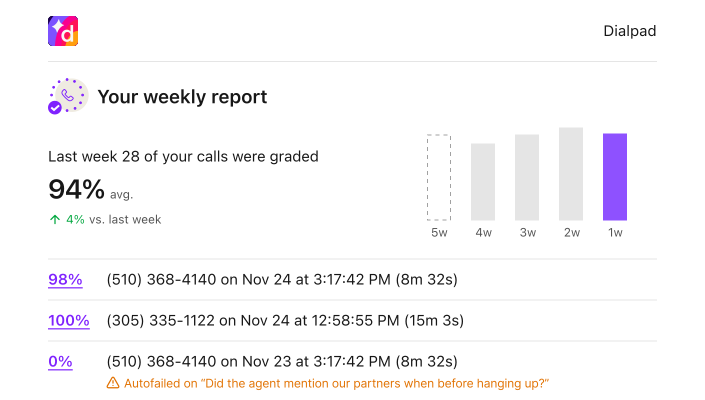
Scorecards is a QA tool for contact centers. A big part of a supervisor’s job is watching conversations and finding ways to make them better, usually with more volume than time. Even a small support operation can log hundreds of conversations a day. Scorecards helps teams evaluate that work at scale over time, and suggest improvements, without grading everything by hand.
This is the story of how we got from a fully manual product to the AI grading experience that ships today, and what we learned about trust along the way.
There’s a lot in this demo: building a scorecard, grading with it, and analytics. We’ll walk through each piece and how we got there.
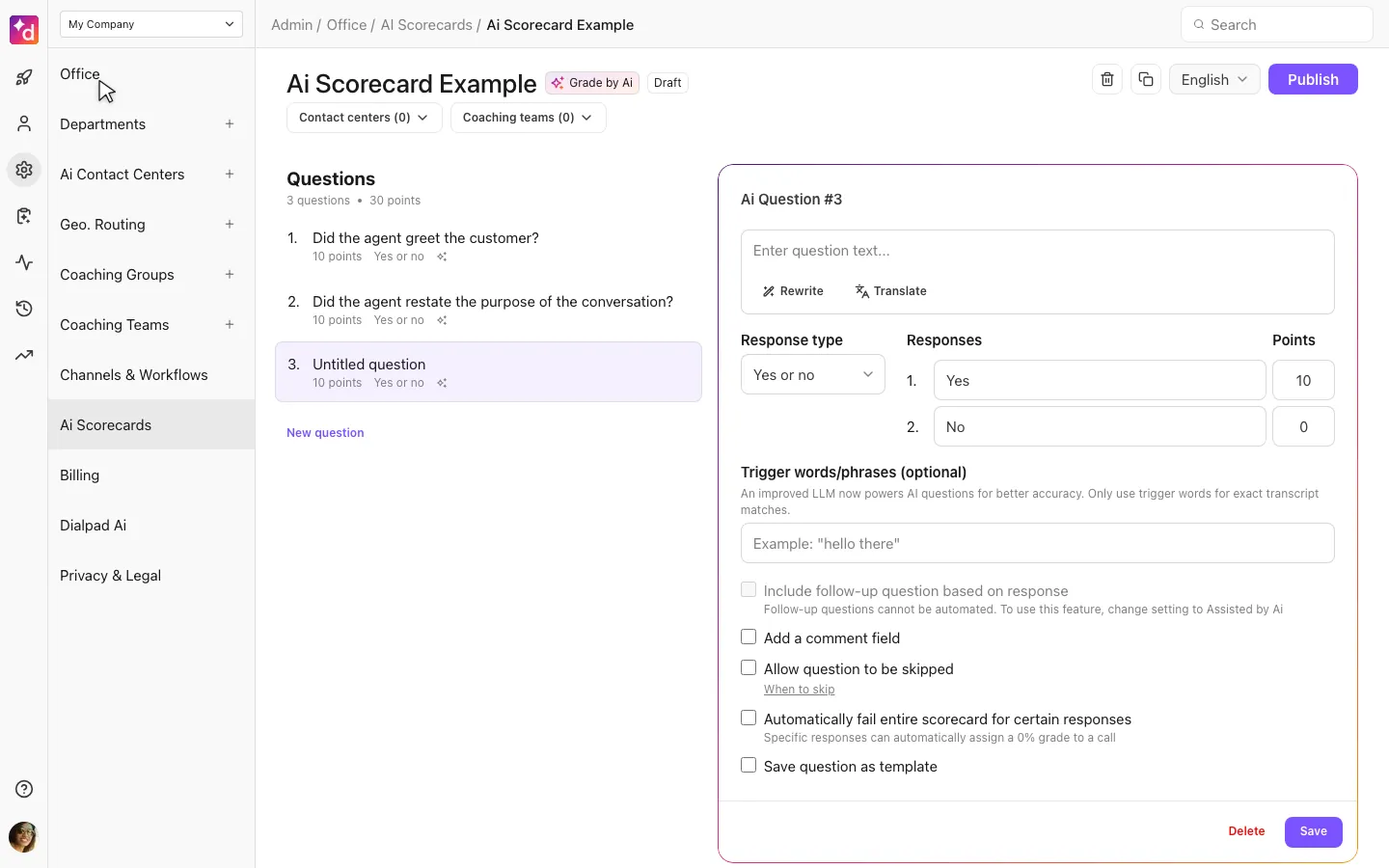
This project was as much about customer trust as the technical bits. Nobody runs AI grading on live traffic if they don’t believe the scores.
Ask ten contact center supervisors how they run their team and you’ll get ten answers. Everyone tracks different metrics. Everyone has a different definition of what good looks like. We started from an existing Scorecards product I had designed a couple years earlier: create a scorecard, grade a call, then look at the analytics. Three pieces that stayed a common thread the whole way.
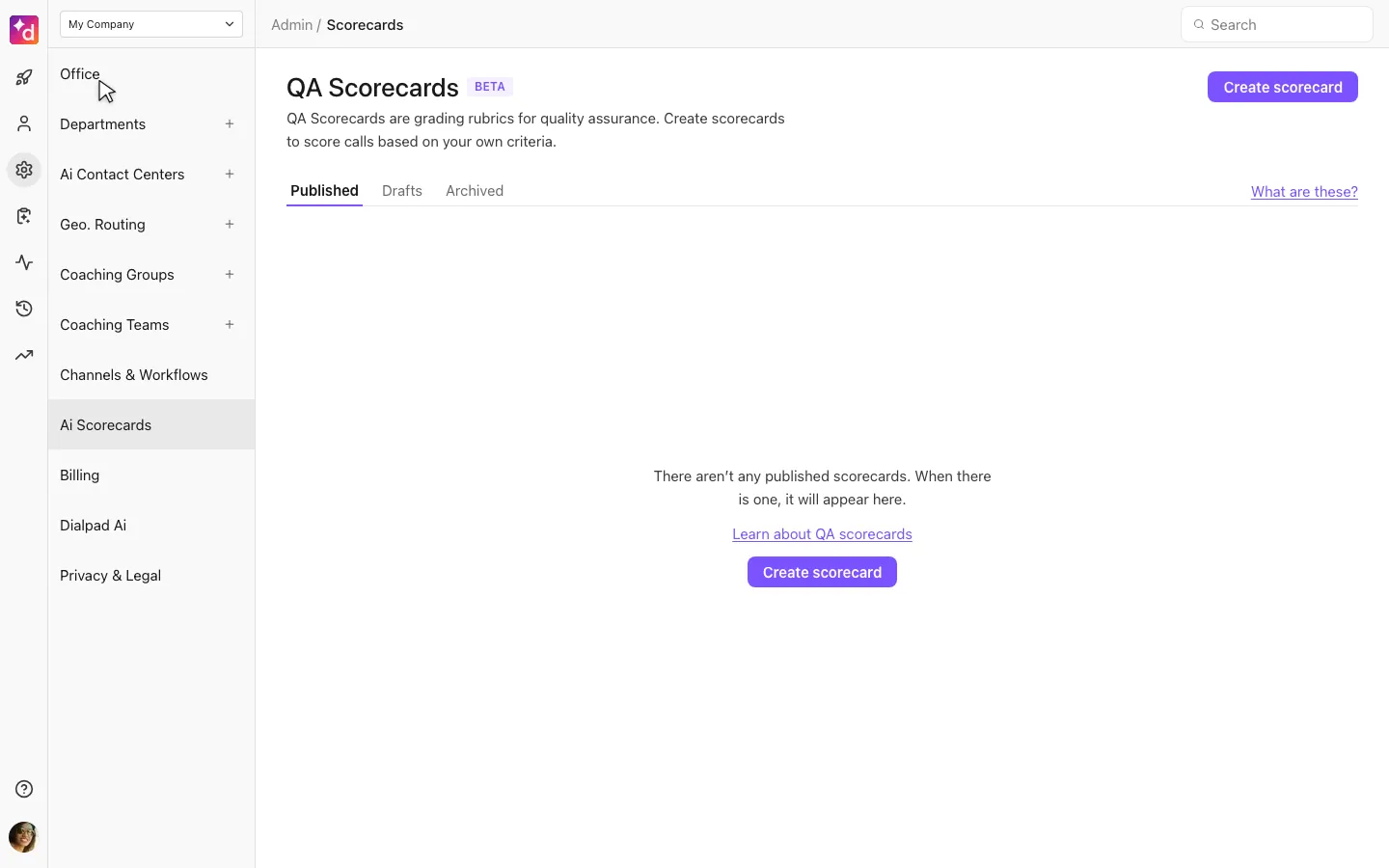
It gave supervisors a way to grade calls objectively, but it was completely manual. Only about 2% to 3% of conversations actually got scored. Useful, and nowhere near a complete picture of what was actually happening on a team.
We had growth targets. We wanted into larger RFPs, and we needed a QA tool that covered more ground, gave better insights, and made Dialpad stickier. AI was getting serious around the same time, and Dialpad GPT was getting off the ground, so we explored how it could help with the volume problem.
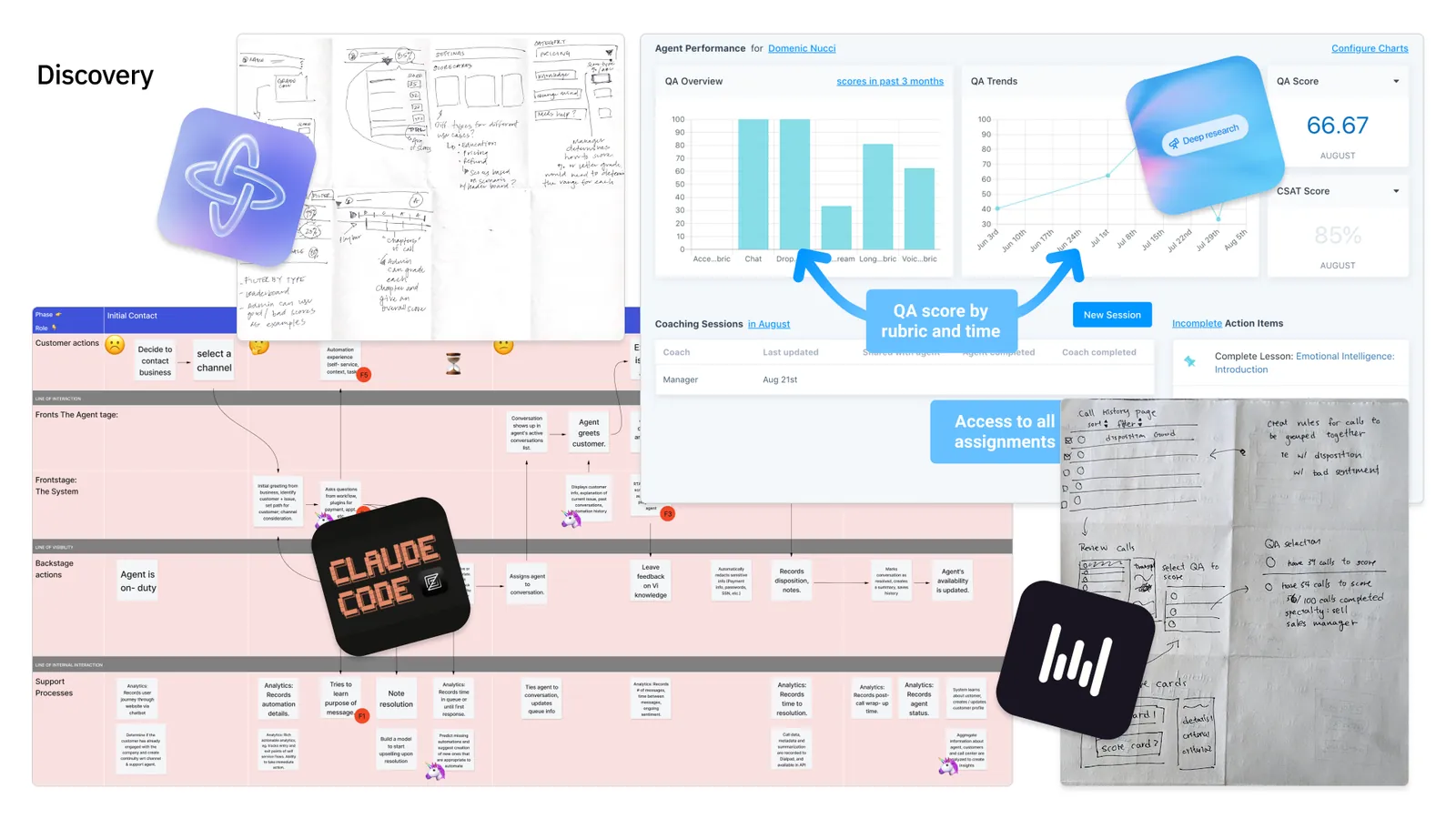
Crazy 8s included PMs, engineers, and QA, not just design, and a lot of those ideas made it into the product. Competitive teardowns, a service blueprint, and internal search through Glean helped us move faster on homework. A PM even sent a rough Figma Make prototype with a short note instead of a PRD. In that spirit, we went wide, and fast. Something like a dozen rough variants in a little more than a day. Rough around the edges, looking like old Bootstrap websites. But the point was to poke at each, figure out what felt right, and combine the best parts of each.
The first automated step was limited on purpose. We wanted to build trust, not get into trouble with AI features. Yes or no questions only, based on trigger words. Deterministic. When AI weighed in, it only suggested. It did not grade, and it did not fill the fields. Just “I think this is what you want,” hopefully saving a click or two.
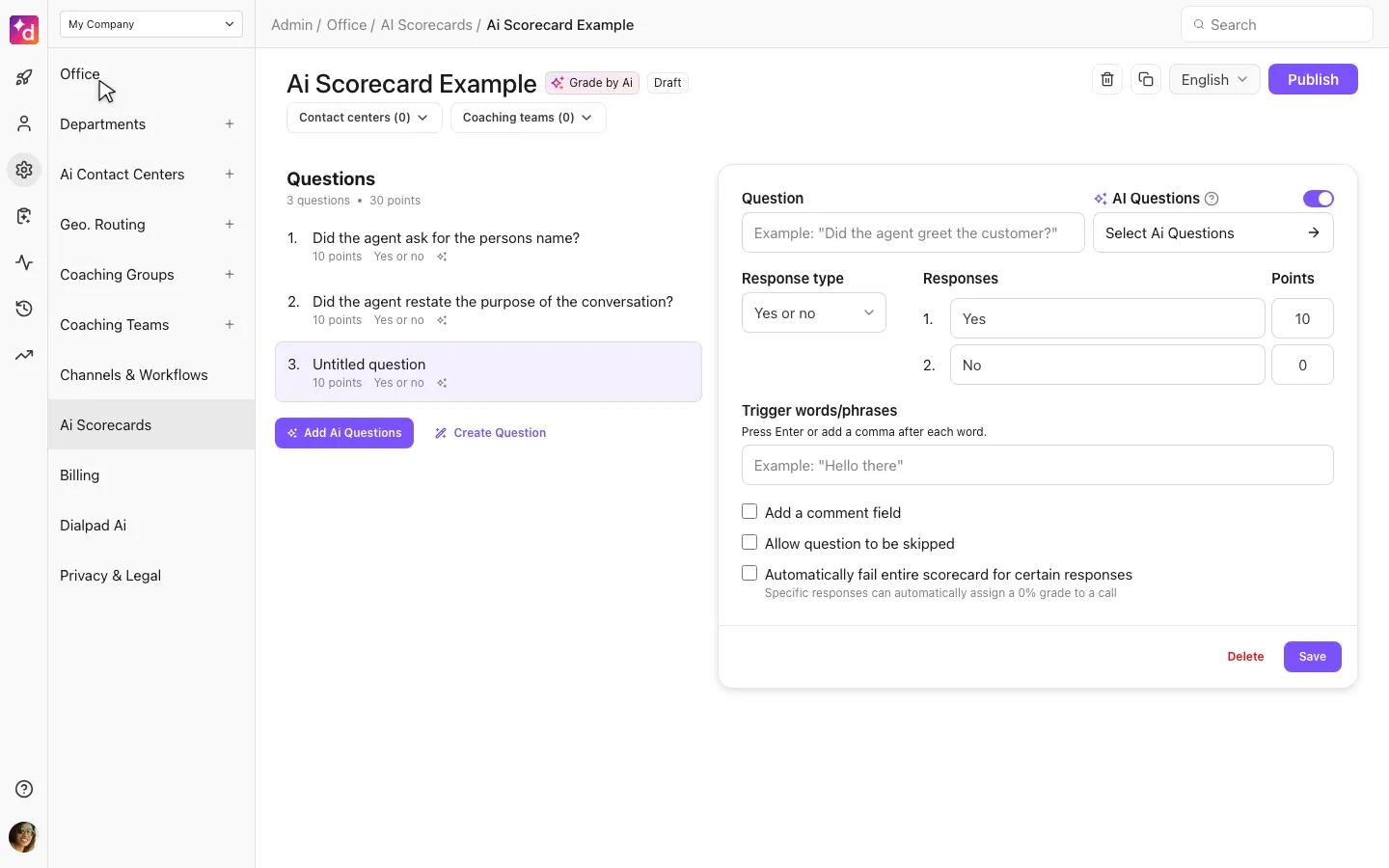
Twist #1: We originally wanted to pre-select those radio buttons. But reading GDPR a certain way made that look like AI had already decided, even though a human still had to submit the form. Gray area, but we played it safe and left the suggestions as suggestions.
Twist #2: As more conversations got graded, human agents wanted a way to appeal scores they disagreed with. Their livelihood is numbers-driven. We knew dispute mode would matter, hoped we could ship it later, then heard from beta customers that it was a requirement. We prioritized it as a fast follow before moving on.
Trigger words were fine. Understanding intent is something else. We asked "What if customers could write questions the way they actually coach?" The scorecard became both the rubric and the grading engine. But automation like that creates a new trust problem: if AI submits the score, how does a human stay in control?
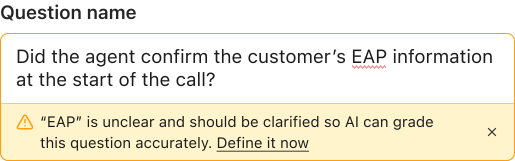
Natural language is powerful and ambiguous. If someone types jargon or an acronym, we wanted AI to call that out instead of inventing a definition and scoring calls wrong. You can rewrite the question, or define the term on the spot, and AI checks that it still understands. Skip conditions need the same precision. When a question is scored, you can open the part of the conversation used as evidence.
The tech was there, the hard part was making natural language feel safe enough to use. We tested this with a beta group of customers for a few months before making it generally available.
Customers still use all three scorecard types: fully manual, AI-assisted suggestions, and fully automated grading. Each one wins in different places, and plenty of customers run more than one. Revenue moved in the right direction. The stat I find most interesting: only about a quarter of support customers used Scorecards, but they accounted for almost half of the seats. The larger companies adopted it, and they were the ones spending more with us.
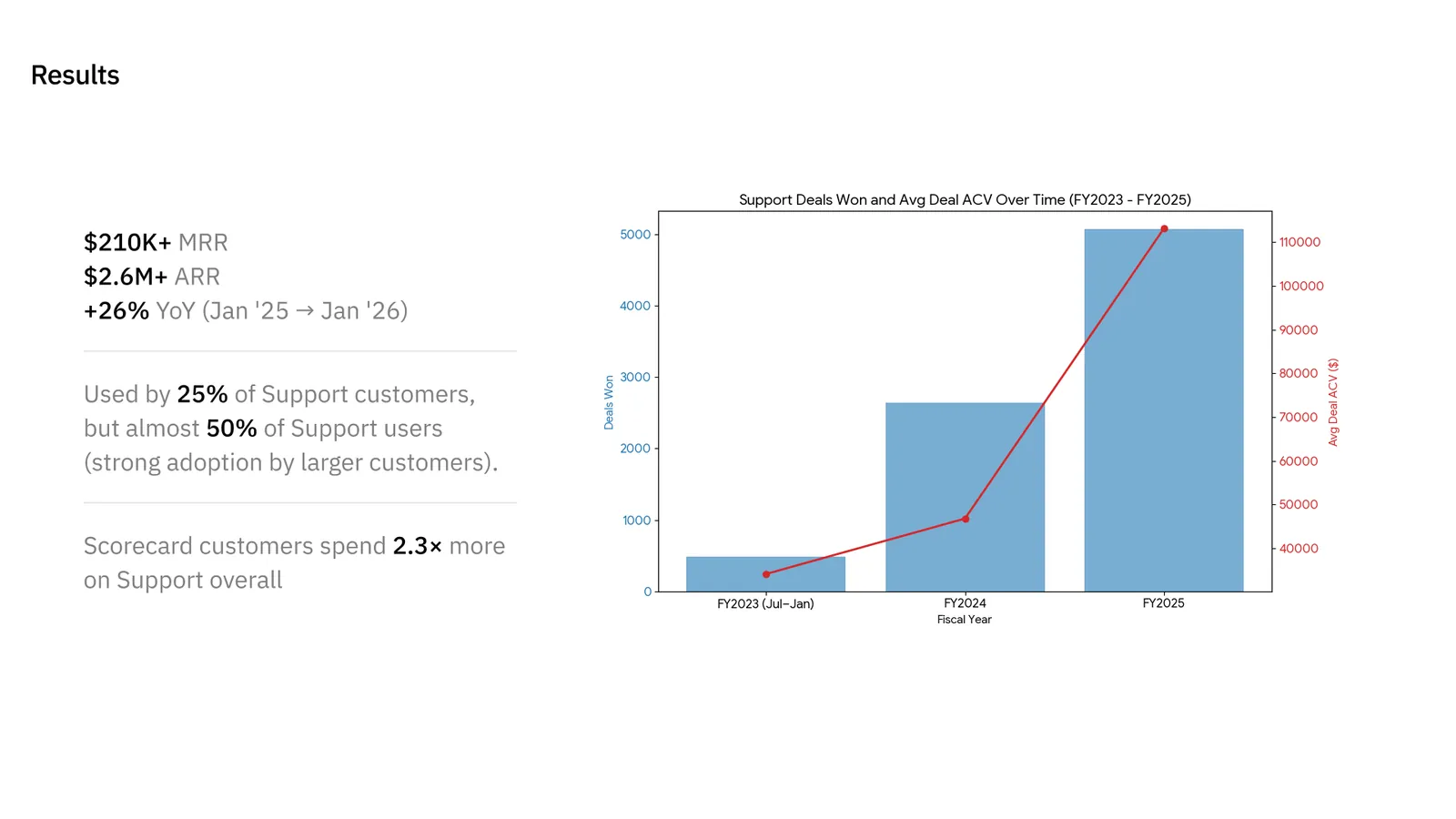
It also nudged more people to turn AI on in Dialpad. We don’t flip that switch by default. When they do, we can do more for them, and yes, we make more money too.
I've been prototyping two ideas on the side. First one is mining: using AI to look across months of transcripts, identify topics that show up a lot but aren’t covered by any scorecard question, and offering to create one.
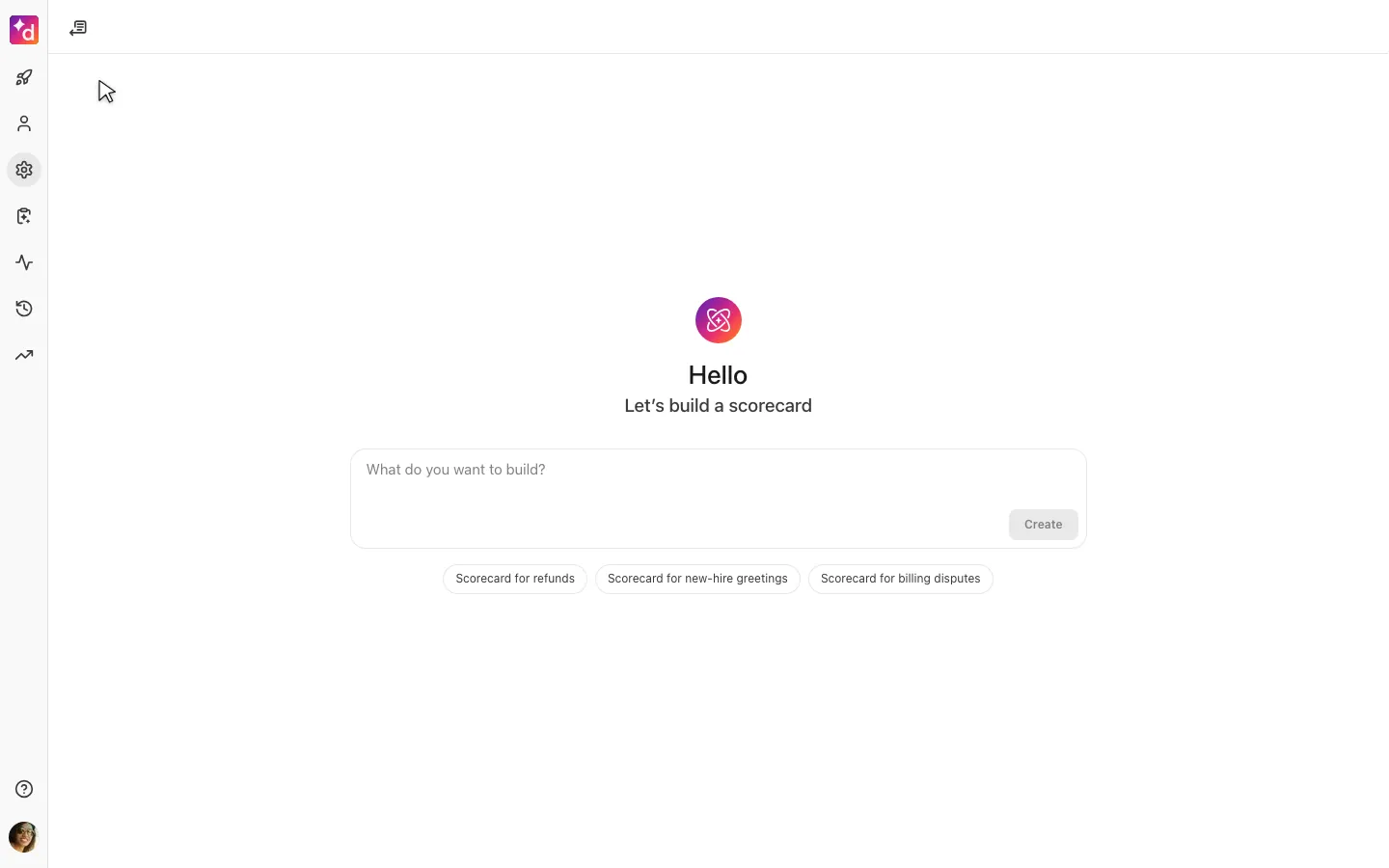
The second one is drafting a whole scorecard in natural language. Keep chatting with a copilot, or switch to point-and-click when you want to get specific.
- The best design ideas don’t always come from designers. PMs, engineers, QA, and product marketing were in the work early and often, not only for one sketching session. Many of their ideas made it into the final product.
- Trust is a feature. Show the evidence, give people overrides, and put the guardrails in the core experience, not bolted on as a settings page.
- People are harder than software (and it's not like software is easy). The model was the easier half of shipping something customers would actually run on live traffic.